Changing the serial/parallel structure of the effects (STRUCTURE)
You can change the connection structure (STRUCTURE) of the overall effect block.
- On the play screen, press the [2] knob to display the chain (effect chain).
- Turn the [SELECT] knob to select the MST (master) block.
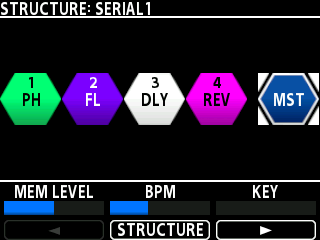
- Press the [2] knob to open the STRUCTURE page.
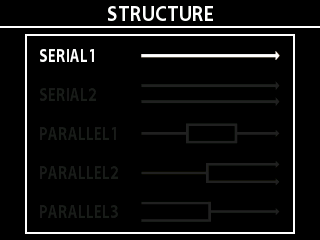
- Turn one of the knobs to select the structure type.
- Press the [TYPE/VALUE] knob to confirm.
- The display returns to the effect chain screen. The selected structure is applied to the effect chain.