Basic menu operations
- Press the [MENU/EXIT] button.
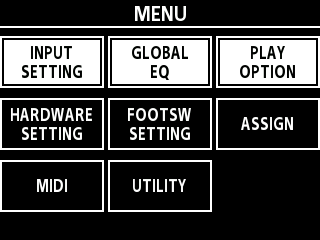
- Turn the [SELECT] knob to move the cursor to the desired row.
- Press one of the knobs [1]–[3] to select the menu that you want to edit.
- A sub-menu may appear depending on the item you select. Select the parameter to set.
- Set the values for the various parameters.
- When you’re finished with the settings, press the [MENU/EXIT] button to return to the play screen.
When selecting “HARDWARE SETTING” for these kinds of operations, the steps are listed in this document as shown below.
- Select [MENU/EXIT] Ó “HARDWARE SETTING”.
- Set the values for the various parameters.
- Press the [MENU/EXIT] button to return to the play screen.