Setting the colors for the display and footswitches
Here’s how to set the colors of the display and the indicators.
These parameters are common settings for all memories.
- Select [MENU/EXIT] Ó “HARDWARE SETTING” Ó “COLOR”.
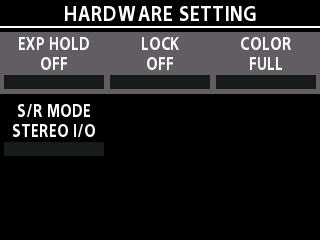
- Turn the [3] knob to select the color display setting.
Value | Explanation |
|---|---|
FULL | The display and indicator colors change depending on the effect type. |
RED | The screen displays in black and white. The indicators basically display in red. When a function is used for which the color change is necessary, the colors yellow, blue and white are used to make the state easy to distinguish. |
BLUE | The screen displays in black and white. The indicators basically display in blue. When a function is used for which the color change is necessary, the colors red, yellow and white are used to make the state easy to distinguish. |
GREEN | The screen displays in black and white. The indicators basically display in green. When a function is used for which the color change is necessary, the colors red, yellow, blue and white are used to make the state easy to distinguish. |
YELLOW | The screen displays in black and white. The indicators basically display in yellow. When a function is used for which the color change is necessary, the colors red, blue and white are used to make the state easy to distinguish. |
ORANGE | The screen displays in black and white. The indicators basically display in orange. When a function is used for which the color change is necessary, the colors red, yellow, blue and white are used to make the state easy to distinguish. |
PINK | The screen displays in black and white. The indicators basically display in pink. When a function is used for which the color change is necessary, the colors red, yellow, blue and white are used to make the state easy to distinguish. |
PURPLE | The screen displays in black and white. The indicators basically display in purple. When a function is used for which the color change is necessary, the colors red, yellow, blue and white are used to make the state easy to distinguish. |
LIGHT BLUE | The screen displays in black and white. The indicators basically display in light blue. When a function is used for which the color change is necessary, the colors red, yellow, blue and white are used to make the state easy to distinguish. |
CYAN | The screen displays in black and white. The indicators basically display in cyan. When a function is used for which the color change is necessary, the colors red, yellow, blue and white are used to make the state easy to distinguish. |
WHITE | The screen displays in black and white. The indicators basically display in white. When a function is used for which the color change is necessary, the colors red, yellow and blue are used to make the state easy to distinguish. |