Prohibiting knob operations on the play screen (LOCK)
When the lock function is turned on, the knobs cannot be operated while the play screen is displayed.
This function prevents the knobs from being accidentally operated while you are performing.
- Select [MENU/EXIT] Ó “HARDWARE SETTING”.
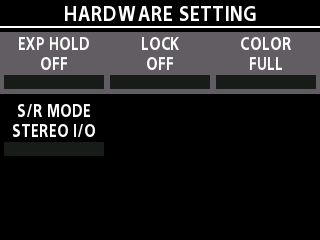
- Turn the [SELECT] knob to move the cursor to the row containing “LOCK”.
- Turn knob [2] to set LOCK to ON.
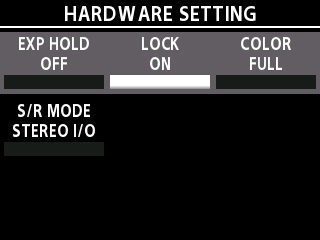
- Press the [MENU/EXIT] button to return to the play screen.
MEMO
On the play screen, long-press the [GEAR SUITE] button to toggle the lock on/off.