Changing the order of memories (MEMORY ORDER)
You can change the order of the user memories.
- Select [MENU/EXIT] Ó “MEMORY ORDER”.
- The MEMORY ORDER screen appears.
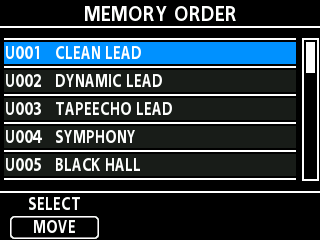
- Turn the [1] knob to move the cursor to the memory you want to sort.
- Press the [1] knob to select the memory.
- The highlight color of the selected memory changes from blue to orange.
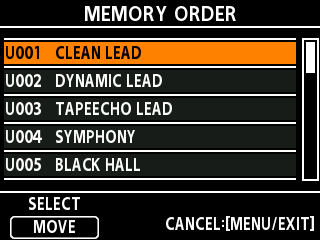
- Turn the [1] knob to select where to move the memory.
- Press the [1] knob to confirm where to move the memory.
- The highlight color changes from orange to blue, and you can now move other memories.
- At this stage, the sorting is not yet complete.
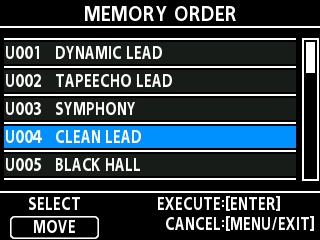
- Repeat steps 2–5 to edit the memory order.
- Press the [TYPE/VALUE] knob once you’ve decided on the sorting order.
- The message “EXECUTING...” is shown. When the operation is complete, the order of the memories is updated and saved.