Using the tuner
- Press the [C2/TUNER] switch.
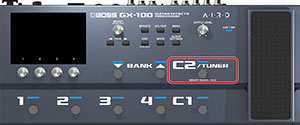
- The tuner screen appears.
MEMO
- You can also start the tuner from the play screen by pressing the PAGE [Í] button.
- Ø“About the play screen”
- You can move the expression pedal to minimum setting to start the tuner. See “Footswitch and expression pedal settings” for how to assign a different function.
Switching the tuner display
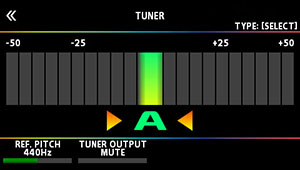
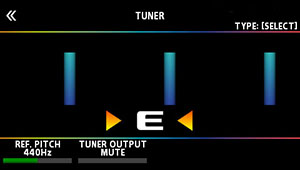
You can turn the [SELECT] knob to switch the tuner display.
Monophonic (normal) display
Monophonic (streaming) display
True Temperament (normal) display*
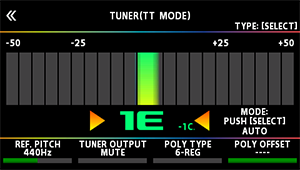
True Temperament (streaming) display*
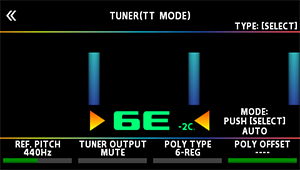
- This is a tuning mode for guitars that use True Temperament.
Tuner settings
To make tuner settings, use the [1]–[4] knobs located below the display.
Knob | Parameter | Value | Explanation |
|---|---|---|---|
[1] | REF. PITCH | 435–445 Hz (default: 440 Hz) | Specifies the reference pitch. |
[2] | TUNER OUTPUT | MUTE | Sound will not be output while tuning. |
BYPASS | While tuning, the sound of the guitar being input to the GX-100 will be output without change. All effects will be off. | ||
THRU | Allows you to tune while hearing the current effect sound. | ||
[3] | TT TYPE | 6-REG, 6-DROP D, 7-REG, 7-DROP A, 4-B REG, 5-B REG | Selects the type of tuning for the tuner. |
[4] | TT OFFSET | -5–-1, ---- | Adjusts the reference pitch of the tuner in semitone units relative to standard tuning. |