Assigning favorite parameters to [1]–[4] knobs
Here’s how to assign the parameters that are controlled by knobs [1]–[4] when the play screen is shown.
- Press the [MENU] button.
- Touch <CTL/EXP>.
- Touch <KNOB SETTINGS>.
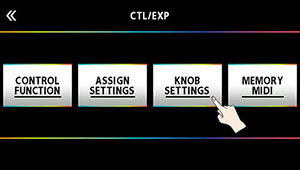
- Turn the [SELECT] knob to select the knob you want to set.
- Turning the knob will move the selected item vertically.
- Use the [2] and [3] knobs to edit the settings of the selection parameters (CATEGORY, TARGET) for each knob.
- For the parameters to set, refer to “TARGET list”.