KNOB SETTING
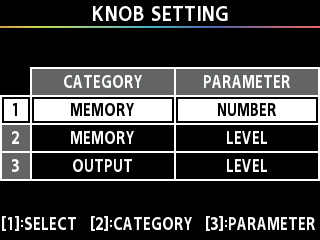
Here’s how to assign the parameters that are controlled by knobs [1]–[3] when the play screen is shown.
- Press the [MENU] button.
- Turn the [1] knob to move the cursor to the “KNOB SETTING” row.
- Press the [3] knob.
- The KNOB SETTING screen appears.
- Changes the setting value.
Operation | Explanation |
|---|---|
Turn the [1] knob | Moves the cursor. |
Turn the [2] knob | Switches between categories. |
Turn the [3] knob | Changes the setting value. |
- For the parameters to set, refer to “TARGET list”.