Restoring the factory settings (factory reset)
Restoring the GX-1’s settings to their original factory settings is referred to as “Factory Reset”. You can restore all of the settings to their factory-set values, and you can also specify certain items to be reset.
- When you execute factory reset, the settings you made are lost. Save the data you need to your computer or mobile device using the dedicated software.
- Press the [MENU] button.
- Press the [å] [ä] buttons to move the cursor to the “UTILITY” row.
- Use the [3] knob to select “UTILITY”.
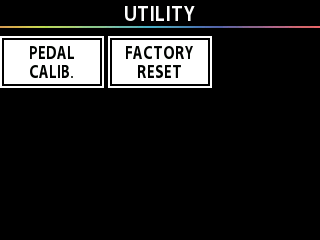
- Press the [2] knob and select “FACTORY RESET”.
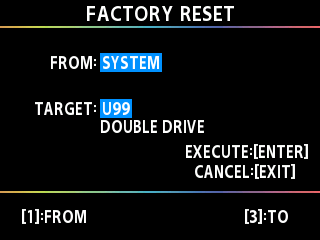
- Specify the factory reset range by using the [1] and [3] knobs to set <FROM> and <TO>.

Knob
Parameter
Value
Explanation
[1]
[3]
FROM
TO
SYSTEM
System parameter settings
U01-U99
Settings for memory numbers U01 through U99
- Press the [ENTER] button.
- A confirmation message appears.
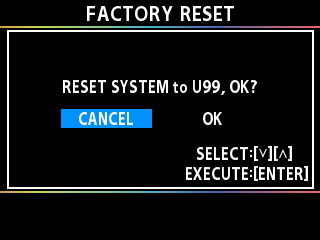
- To execute the factory reset, press the [å] [ä] buttons and select “OK”, and then press the [ENTER] button to execute the factory reset.
- To cancel the factory reset, press the “CANCEL” button, and then press the [ENTER] button.
- Once the Factory Reset is complete, the unit returns to the Play screen.