Saving as a GEAR SUITE
You can save the settings of your favorite effects as a GEAR SUITE.
- Switch to the memory containing your favorite effect settings.
- Press the [EXIT] button and [ENTER] button at the same time.
- The WRITE MENU screen appears.
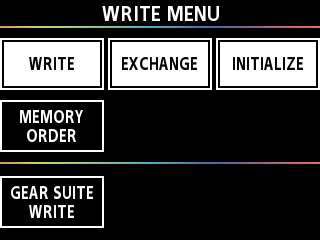
- Press the [å] [ä] buttons to move the cursor to the “GEAR SUITE WRITE” row.
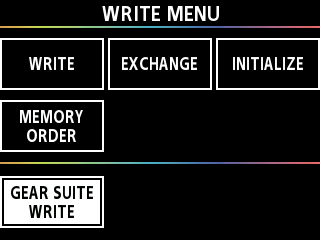
- Press the [1] knob.
- The GEAR SUITE WRITE screen appears.
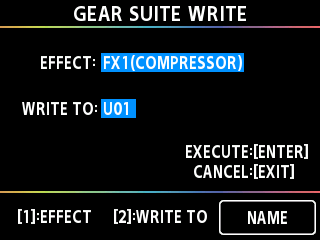
- Turn the [1] knob to select the effect block you want to save.
- Use knob [2] to select the save-destination.
- The maximum number of effect blocks you can save depends on the effect type.
- Press the [3] knob to display a screen where you can change the name of the GEAR SUITE.
- Enter a name for the GEAR SUITE you want to save.
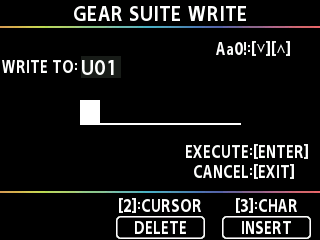
- You can input up to 8 characters.

Operation
Function
Turn the [2] knob
Moves the cursor
Press the [2] knob
Deletes one character (delete)
Turn the [3] knob
Change the character type
Press the [3] knob
Inserts one space (insert)
Press the [å] [ä] buttons
Switches uppercase/lowercase
- Press the [ENTER] button.
- The GEAR SUITE is saved.
- When the save is complete, the write menu screen appears.