Setting example 1: assigning an ON/OFF toggle for AMP SOLO to the [CTL1] (C1) switch
- Press the [MENU] button.
- Press the [å] [ä] buttons to move the cursor to the “CTL FUNC” row.
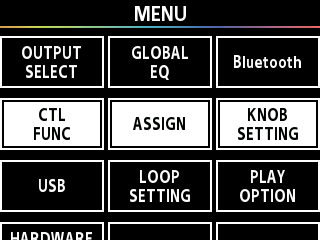
- Press the [1] knob.
- Use the [1]–[3] knobs or the [å] [ä] buttons to move the cursor to the “CTL1” row.
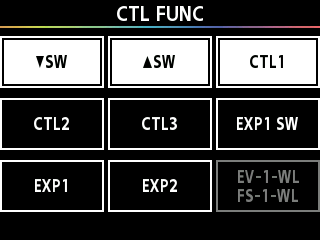
- Press the [3] knob.
- The [CTL1] (C1) settings screen appears.
- Press the [å] [ä] buttons to switch to the settings page for other controllers.
- Turn the [1] knob to move the cursor to “FUNCTION”, and turn the [3] knob to set the VALUE to “AMP SOLO”.
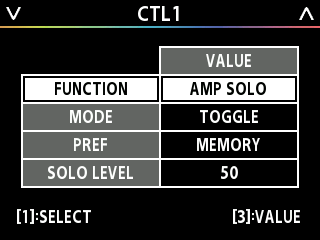
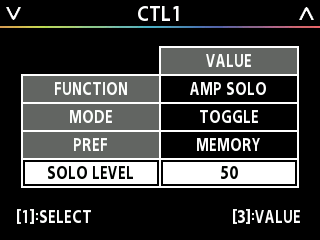
- Turn the [1] knob to move the cursor to SOLO LEVEL, and turn the [3] knob to edit the VALUE.
- The value set for SOLO LEVEL is the volume when SOLO is on.
MEMO
Try pressing the [CTL1] (C1) switch on this screen to switch AMP SOLO on/off. Turn AMP SOLO on to switch to a sound that’s suitable for soloing.
- The footswitch and expression pedal functions must be specified for each memory; however, if you set “PREF (PREFERENCE)” to SYSTEM, all memories will use those functions in common. When PREF is set to MEMORY, you can execute the WRITE operation to save the data.
- For details on the parameters, refer to the “GX-1 Parameter Guide” (BOSS website).