Mixing the sound of the song playing back on your mobile device with the sound of your guitar playing
- Press the [MENU] button.
- Press the [å] [ä] buttons to move the cursor to the “USB” row.
- Press knob [1] and select “USB”.
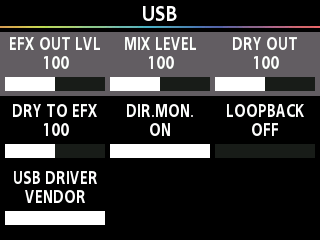
- Press the [å] [ä] buttons to move the cursor to the “USB DRIVER” row.
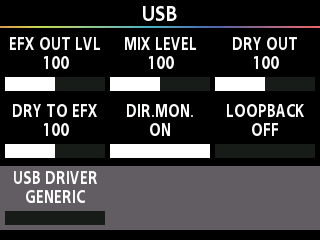
- Turn the [1] knob to select “GENERIC”.
- If this is set to “VENDOR”, you can’t connect the mobile device.
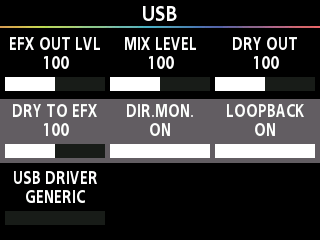
- Press the [å] [ä] buttons to move the cursor to the “LOOP BACK” row.
- Turn the [3] knob to select “ON”.
- Use the USB cable to connect the GX-1 to your mobile device.
NOTE
The app might not work in tandem with your device, depending on the mobile device you’re connected to, as well as the camera app and the specifications of the app you’re using to play back music.