Changing the order of memories (MEMORY ORDER)
You can change the order of the user memories.
- Press the [EXIT] button and [ENTER] button at the same time.
- The WRITE MENU screen appears.
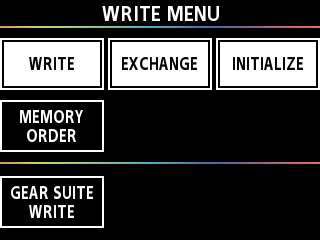
- Press the [å] [ä] buttons to move the cursor to the row where [MEMORY ORDER] is shown.
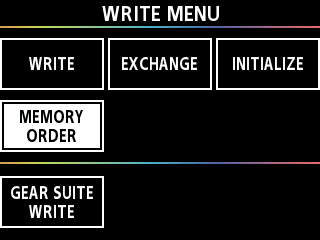
- Press the [1] knob.
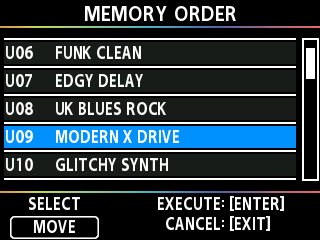
- The MEMORY ORDER screen appears.
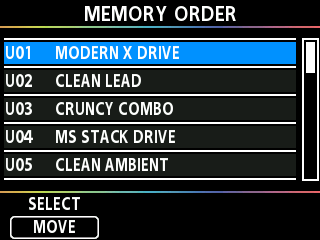
- Turn the [1] knob to move the cursor to the memory you want to sort.
- Press the [1] knob to select the memory.
- The highlight color of the selected memory changes from blue to orange.
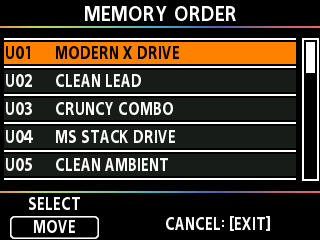
- Turn the [1] knob to select where to move the memory.
- Press the [1] knob to confirm where to move the memory.
- The highlight color changes from orange to blue, and you can now move other memories.
- At this stage, the sorting is not yet complete.
- Repeat steps 4–7 to edit the memory order.
- Once the memories are in order, press the [ENTER] button.
- The message “EXECUTING...” is shown on the screen. When the operation is complete, the order of the memories is updated and saved.