Initializing memories (MEMORY INITIALIZE)
This initializes the selected user memory. This is useful when creating a sound from scratch.
- Press the [EXIT] button and [ENTER] button at the same time.
- The WRITE MENU screen appears.
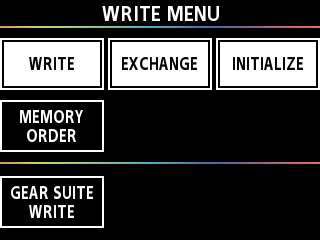
- Press the [å] [ä] buttons to move the cursor to the row where [INITIALIZE] is shown.
- Press the [3] knob.
- The MEMORY INITIALIZE screen appears.
- Turn the [1] knob to select the memory you want to initialize.
- Press the [ENTER] button.
- A confirmation message appears.
- Press the [å][ä] buttons to move the cursor to OK and press the [ENTER] button.
- The message “EXECUTING...” is shown on the screen. When the operation is complete, the memory is initialized and saved.