About the play screen
The screen that appears after you turn on the power is called the “Play screen”.
Memory name display mode
Icon | Explanation |
|---|---|
| Shows the master BPM. |
| This is shown if OUTPUT is set to something other than “LINE/PHONES”. |
| This is shown if OUTPUT is set to “LINE/PHONES”. |
| Shows that the loop is on (no recorded data). |
| Shows that the loop is in REC mode. |
| Shows that the loop is in PLAY mode. |
| Shows that the loop is in DUB mode. |
| Shows that the loop is STOP mode (recorded data exists). |
| This is shown when the AMP SOLO is on. |
| This is shown when OD/DS SOLO is on. |
| This is shown when the FX1 SOLO is on. |
| This is shown when the FX2 SOLO is on. |
| This is shown when the FX3 SOLO is on. |


MEMO
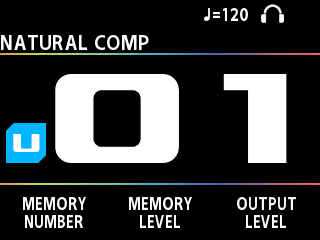
Press the [å] [ä] buttons to switch between the different types of views on the play screen.
Memory number display mode
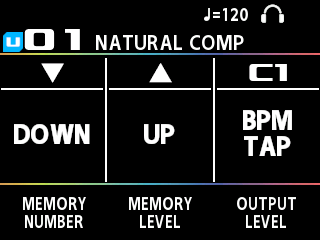
Control display mode
This mode shows the functions for [É], [Ç] and the CTL1 (C1) switches.
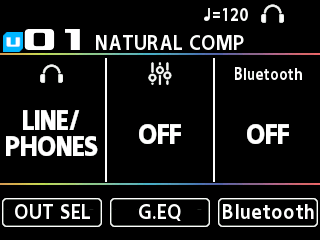
OUT settings and Bluetooth settings view type
This mode shows the output select, global EQ and Bluetooth settings.
You can jump to each settings screen by pressing the [1]–[3] knobs.