Basic procedure for effect editing
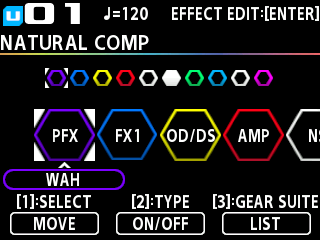
You can edit the effects by selecting the effect that you want to edit in the effect chain screen.
You can also edit effects and parameter settings that are not in the buttons on the panel.
- Press the [EDIT] button.
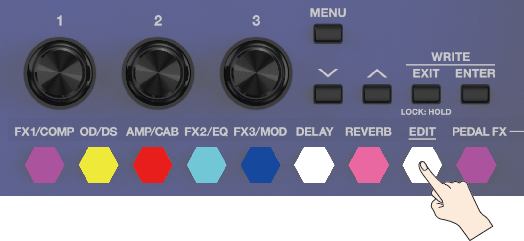
- The effect chain screen is shown.
MEMO
You can also use the buttons for each effect to switch the effects on/off.
- Turn the [1] knob to choose the effect you’re going to edit.
MEMO
For FX1, FX2, FX3, and PEDAL FX (PFX), turn the [2] knob while an effect is selected to switch between types.
- Press the [2] knob to switch the selected effect on/off.
- Press the [ENTER] button to open the edit screen.
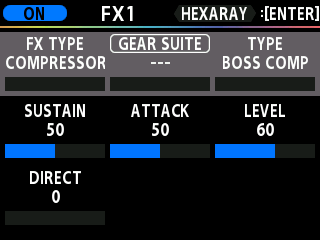
- Use [1]–[3] knobs to specify the value of each parameter. You can use the [å] [ä] buttons to move the cursor.
MEMO
To change a value in larger steps, turn a knob while pressing it.
- Press the [EXIT] button a number of times to return to the play screen.
MEMO
If you wish to change the memory volume, turn the knob on the play screen to adjust the MEMORY LEVEL value.