Importing a V-STAGE Scene Pack
- Insert the USB flash drive on which you saved the files into the USB MEMORY port of the V-STAGE.
- Press the [MENU] button.
- The MENU screen appears.
- Use the [SELECT] knob to select “Memory”, and press the [SELECT] knob.
- Use the [SELECT] knob to select “Import”, and press the [SELECT] knob.
- The IMPORT SCENE screen appears.

- Use the [SELECT] knob to select the filename of the file you wish to import.
- Press the [SELECT] knob.
- The screen display changes.

- Use the [SELECT] knob to select the scenes that you wish to import with a checkmark.
- Press the [â] button.
- The screen display changes.
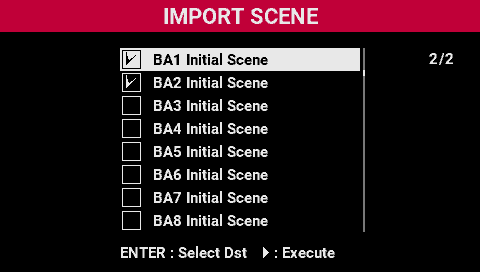
- Use the [SELECT] knob to select the scene numbers of the scenes you wish to import with a checkmark.
- Press the [â] button.
- A confirmation message appears.

- Press the [SELECT] knob.
- This imports the scenes.