Setting the background and text size for the KIT screen (KIT VIEW)
Configures the background and text size for the KIT screen.
Ø For details on the parameters that can be edited, refer to “Data List” (Roland website).
- Press the [MENU] button.
- Use the cursor buttons to select “KIT OPTIONS” Ó “KIT VIEW”, and press the [ENTER] button.
- The KIT VIEW screen appears.
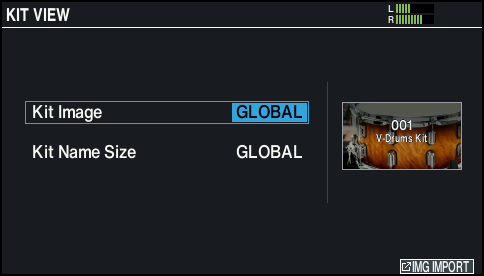
- Use the cursor buttons to select a parameter, and use the dial to edit the value.
- Press the [KIT] button to return to the KIT screen.