Using a common tempo for the entire V31 (KIT TEMPO)
When you select a drum kit, the tempo you specify here is automatically applied.
Ø For details on the parameters that can be edited, refer to “Data List” (Roland website).
- Press the [MENU] button.
- Use the cursor buttons to select “KIT OPTIONS” Ó “KIT TEMPO”, and press the [ENTER] button.
- The KIT TEMPO screen appears.
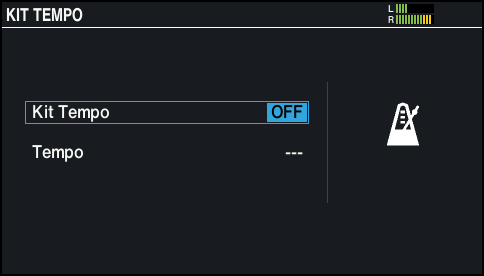
- Use the cursor buttons to select a parameter, and use the dial to edit the value.
- Press the [KIT] button to return to the KIT screen.