Naming the DRUM REC recorded data
Edit the name of the data you recorded with DRUM REC.
- Select a song on the SONG screen.
- Ø “Playing along with the songs on the V31”
- Press the [F5] (SETUP/INFO) button.
- Press the [F6] (RENAME) button.
- The DRUM REC DATA NAME window appears.
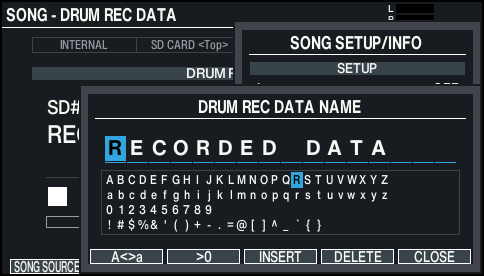
- Edit the name.
- You can input up to 16 characters for the name of the recorded data.
- Ø “Renaming the drum kit (KIT NAME)”
- Press the [F6] (CLOSE) button to exit the DRUM REC DATA NAME window.
- Press the [F5] (CLOSE) button to exit the SONG SETUP/INFO window.