Loading kit backup data from an SD card (LOAD 1 KIT)
Here’s how kit backup data that was saved on an SD card can be loaded into the V31.
- Insert the SD card into the V31.
- Ø “Side panel and front panel”
- Press the [MENU] button.
- Use the cursor buttons to select “BACKUP” Ó “LOAD 1 KIT” and press the [ENTER] button.
- The SD CARD LOAD 1 KIT screen appears.
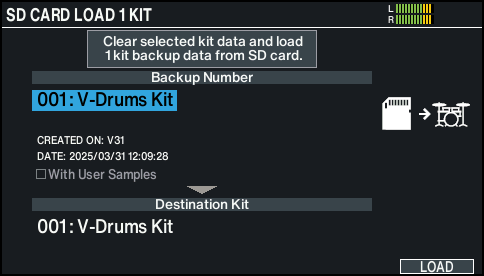
- Make the load settings.
- Parameter select: use cursor buttons
- Value select: use dial

Parameter
Explanation
Backup Number
Selects the backup number.
The name of the product and the date and time of the backup (*1) are shown.
With User Samples
Selects whether user samples are also loaded.
Destination Kit
Selects the load destination drum kit.
*1: Only data backed up when connected to Wi-Fi
- It might take ten minutes or more to load the user samples.
- Press the [F6] (LOAD) button.
- A confirmation message appears.
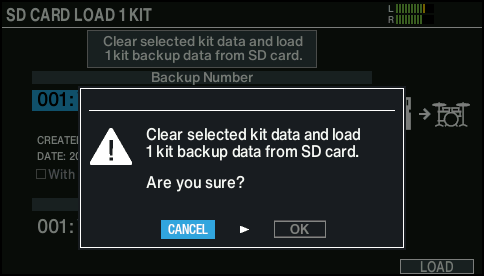
- If you decide to cancel, select “CANCEL” and press the [ENTER] button.
- Select “OK” and press the [ENTER] button.
- The backup data is loaded from the SD card.
- Press the [ENTER] button to finish the operation.