Making the power automatically turn off after a time (AUTO OFF)
The power to this unit turns off automatically to save energy after a certain amount of time (20 minutes by default) has passed since it was last used or since its buttons or controls were operated.
- If you don’t want the unit to turn off automatically, turn this setting off. Note that when the setting is turned off, the unit may consume more power.
- You can simply turn the power back on after it has turned off automatically.
- Press the [SETUP] button.
- Use the cursor buttons to select “AUTO OFF”, and press the [ENTER] button.
- The AUTO OFF screen appears.
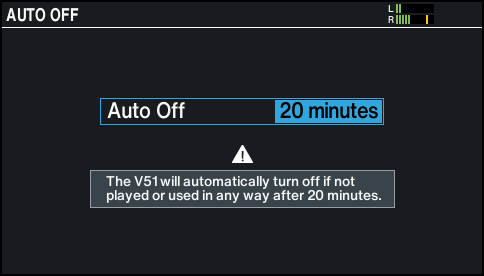
- Use the [-] [+] buttons or the dial to set the auto-off function.

Value
Explanation
OFF
The power does not turn off automatically.
20 minutes (factory setting)
Turns the power off automatically when no pad has been struck and no operation performed within the specified time (20 minutes or 4 hours).
4 hours
MEMO
A confirmation message appears if you select a value besides “20 minutes”. Select “OK” and press the [ENTER] button.
- Press the [KIT] button to return to the KIT screen.