Repeatedly playing a specified region (A-B repeat)
You can make a certain part of a song repeat.
- You cannot set A-B repeat for the built-in songs of the drum performances, or for the songs of the recorded drum performance data (DRUM REC DATA).
- Select a song to play back.
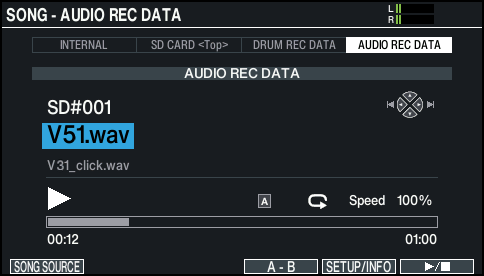
- In the SONG screen, press the [F4] (A-B) button at the location where you want to start repeating.
- The character “A” appears.
MEMO
You can use the [÷] (ö) / [ø] (ù) buttons to move backward or forward in five-second steps. Hold down a button to rewind or fast-forward.
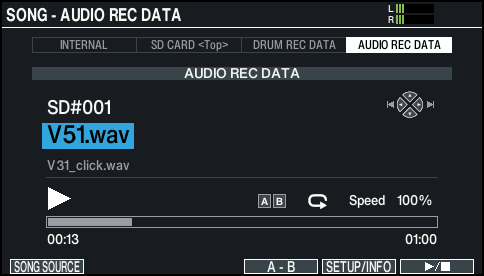
- At the location where you want to stop repeating, press the [F4] (A-B) button.
- The character “B” appears, and the region of the song between “A” and “B” plays repeatedly.
- During repeat playback, press the [F4] (A-B) button to return to normal playback.