Selecting a drum kit
- Press the [KIT] button.
- The KIT screen appears.
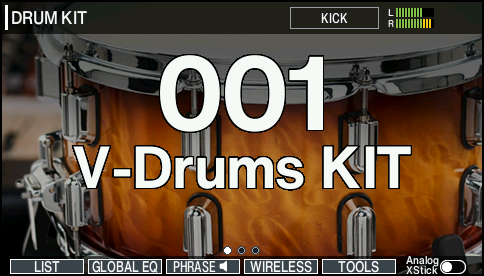
- Use the [-] [+] buttons or the dial to select a drum kit.
Additional information
- About the KIT screen
- Functions you can control from the KIT screen
- Checking the drum kit sound (kit phrase)
- Selecting a drum kit from the list
- Loading drum kits from Instrument Expansions and Kit Packs
- Automatically loading Instrument Expansions and Kit Packs into the slots (Auto Slot Load)
- Stopping all currently played sounds (ALL SOUND OFF)