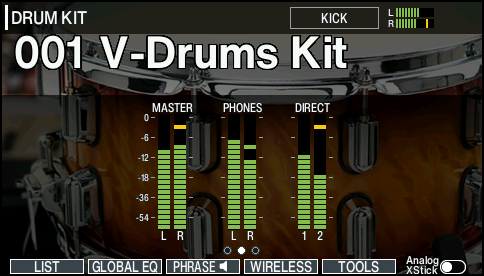
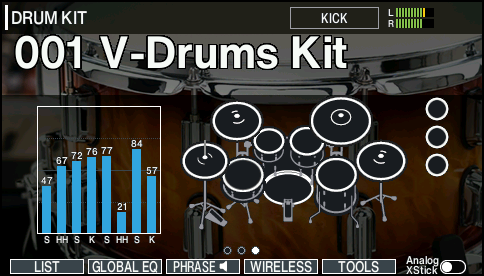
About the KIT screen
This is the main screen for the V51, which appears when you press the [KIT] button.
Number | Item | Explanation |
|---|---|---|
Current time | Shown when connected via Wi-Fi | |
Favorite icon | Shown only if a drum kit registered as a favorite is selected. | |
Tempo | Shown when the kit tempo is “ON” | |
Brush icon | Shown when the Brush Switch is “ON” | |
User sample icon | Shown when a drum kit that uses user samples is selected | |
Expansion icon | Shown when a drum kit is selected that uses an instrument from an Instrument Expansion | |
Currently selected pad | ||
MASTER OUT output volume | ||
Bluetooth icon | Shown when connected via Bluetooth | |
Wi-Fi icon | Shown when connected via Wi-Fi | |
Drum kit number | ||
Drum kit name | ||
MEMO
On the KIT screen, press the [Í] [Ë] buttons to display the output volume or the trigger signal level meter on the KIT screen.