Developing a physical sense of tempo (QUIET COUNT)
This mode lets you practice maintaining the tempo.
For the first several measures, the click plays at the specified volume, but for the next several measures the click does not play. This cycle of several measures continues until you stop it.
- Press the [SONG] button while holding down the [SHIFT] button.
- Use the cursor buttons or the dial to select “QUIET COUNT” and press the [ENTER] button.
- The COACH - QUIET COUNT screen appears.
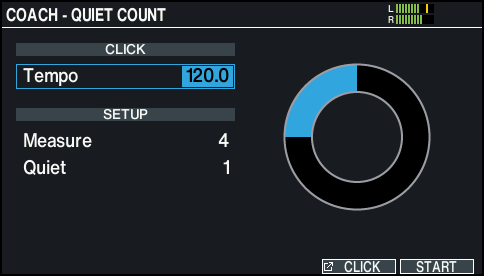
- Use the [-] [+] buttons or the dial to change the tempo.
- Press the [F6] (START) button to start.
- Strike the pad in time with the click.
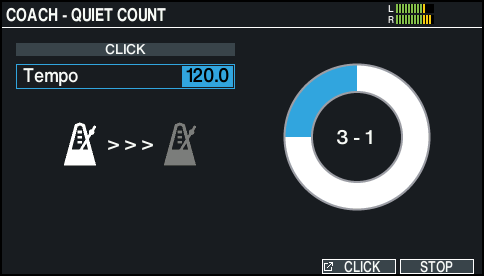
- For the first few bars, “” is displayed on the screen and a click is heard. When you reach the last measure during which the click plays, the “” icon is shown onscreen.
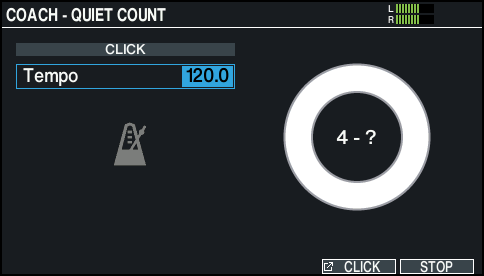
- When the click stops playing, the screen indication changes to “”. Continue striking the pads during this time.
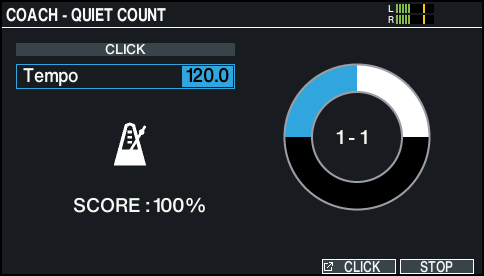
- After the Quiet region, the proportion of your strikes that were played at an accurate tempo are shown as a “%”.
- Press the [F6] (STOP) button to finish.