Recreating the reverberations of a performance location (AMBIENCE)
This feature recreates the ambience, meaning the sound heard from the overhead mic that picks up sounds from the entire drum kit, how the drums reverberate depending on where they are played and how the drums sound.
You can obtain a more natural and present drum sound by adjusting the overhead mic sound, the type of room and its size (room ambience), the reverberation (reverb) and so forth.
ØFor details on the parameters that can be edited, refer to “Data List” (Roland website).
- Press the [KIT EDIT] button.
- Use the cursor buttons to select “AMBIENCE”, and press the [ENTER] button.
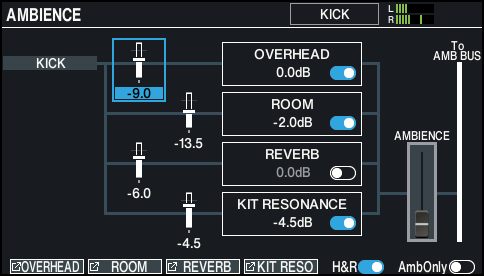
- The AMBIENCE screen appears.
MEMO
Press the [F6] (AmbOnly) button to turn it ON to hear only the ambience.
- Press the function buttons to access the respective settings screens.

Screen
Explanation
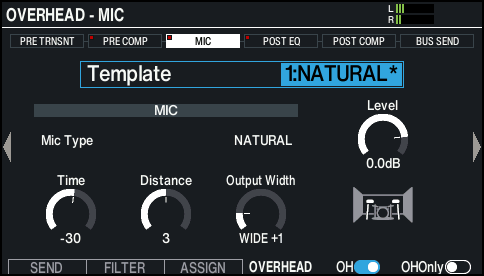
OVERHEAD - MIC screen
Configures the overhead mic.
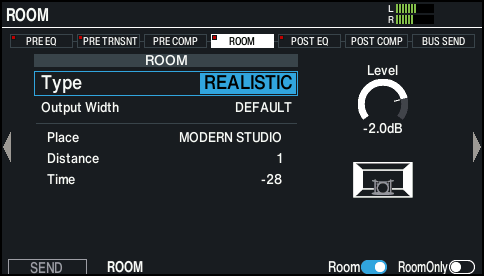
ROOM screen
Configures the room ambience.
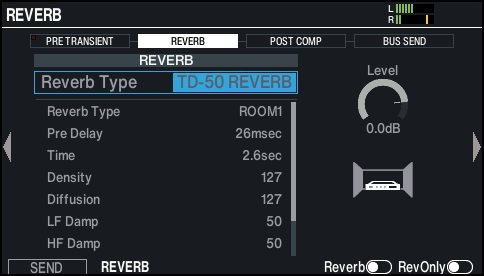
REVERB screen
Configures the reverb.
KIT RESONANCE screen
Sets the amount of resonance for the entire drum kit.
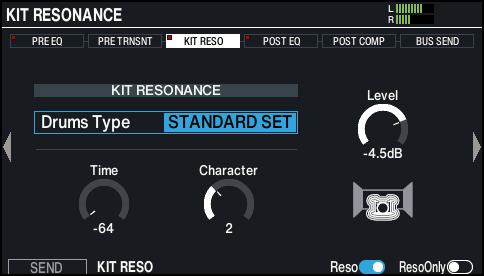
- Edit the ambience settings.
- On the respective screens, switch the ambience on/off.
MEMO
When the [F6] button is shown on the respective ambience screens, you can hear only the sound on the screen you’re currently configuring.
- Press the [KIT] button to return to the KIT screen.