Sorting the Instrument Expansions/Kit Packs (SORT BY...)
You can change the order in which the Instrument Expansions/Kit Packs shown on the RACK screen are shown.
- The sort order settings are not saved in user memory.
- On the RACK screen, press the [F3] (SORT BY...) button.
- The Rack Sort Rule window appears.
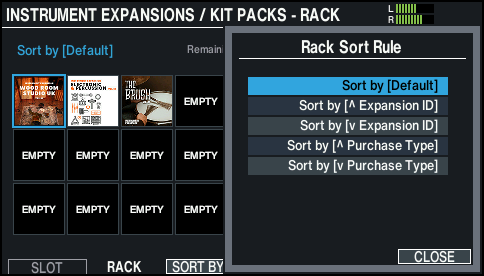
- Use the cursor buttons or the dial to choose the sort order.

Value
Explanation
Default
Sorts by rack number.
ä Expansion ID
Sorts by Expansion ID (ascending).
å Expansion ID
Sorts by Expansion ID (descending).
ä Purchase Type
Sorts by Instrument Expansion/Kit Pack purchase type (preinstalled Ó Lifetime Key Ó subscription).
å Purchase Type
Sorts by Instrument Expansion/Kit Pack purchase type (subscription Ó Lifetime Key Ó preinstalled).
- Press the [F6] (CLOSE) button to return to the RACK screen.