Uninstalling Instrument Expansions/Kit Packs (UNINSTALL)
This shows how to uninstall Instrument Expansions/Kit Packs that are installed in the rack.
- You can’t uninstall the Instrument Expansions that were preinstalled when the unit was shipped from the factory.
NOTE
When you uninstall an Instrument Expansion/Kit Pack, the drum kits that include that Instrument Expansion/Kit Pack can no longer be correctly recreated.
- On the RACK screen, select the Instrument Expansion/Kit Pack to uninstall.
- Press the [F5] (UNINSTALL) button.
- A confirmation message appears.
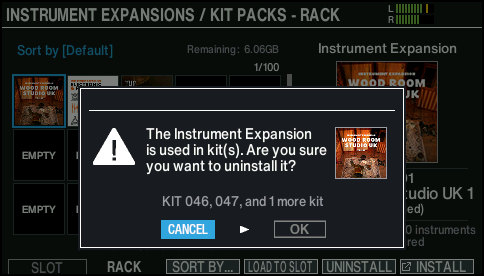
- If you decide to cancel, select “CANCEL” and press the [ENTER] button.
- Select “OK” and press the [ENTER] button.
- The Instrument Expansion/Kit Pack is uninstalled from the rack.
- Press the [ENTER] button to finish the operation.