Configuring the USB driver
This shows how to switch between the dedicated USB driver for the V51 (VENDOR) and the OS standard driver (GENERIC).
- Press the [SETUP] button.
- Use the cursor buttons to select “USB AUDIO”, and press the [ENTER] button.
- The USB AUDIO screen appears.
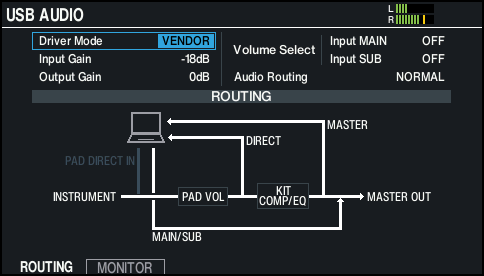
- Move the cursor to Driver Mode, and use the [-] [+] buttons or the dial to change the value.

Parameter
Value
Explanation
Driver Mode
GENERIC
Uses the driver provided by the operating system. USB MIDI and USB audio (2 ch. recording and playback) can be used.
VENDOR
Uses the V51’s dedicated driver provided by Roland. USB MIDI and USB audio (32 ch. recording and playback) can be used.
- Turn the power off, then on again.
- The setting takes effect when the unit is powered off and on again.
MEMO
For details on downloading and installing the USB driver, refer to the Roland website.