Example: Crash 1 is triggered when you strike the Tom 1 pad
- On the TRIGGER ADVANCED screen, press the [F5] (XTALK) button.
- The TRIGGER ADVANCED - XTALK MONITOR screen appears.
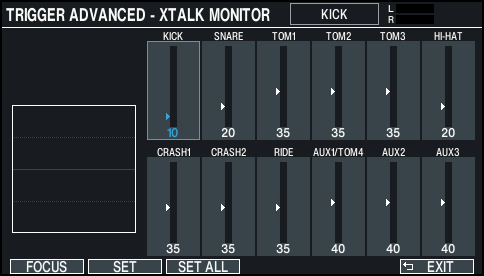
- Strike the tom 1 (TOM1) pad.
- The crosstalk detection status is shown in the TRIGGER XTALK MONITOR screen.
- The illustration below indicates that tom 2 (TOM2) and crash 1 (CRASH1) detected vibration when tom 1 (TOM1) was struck.
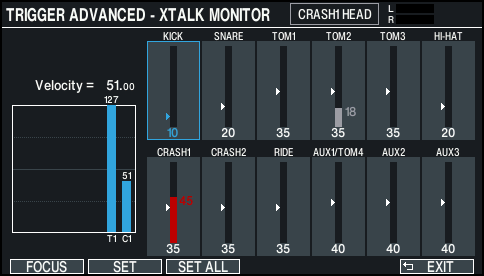

Pads detecting vibration
Explanation
Tom 2 (TOM2)
Will not sound, because crosstalk cancellation is active.
Crash 1
(CRASH1)
Crosstalk is occurring.
By adjusting the crosstalk cancellation value, you can prevent the sound from being triggered.
- Press the [F1] (FOCUS) button to move the cursor to CRASH1.
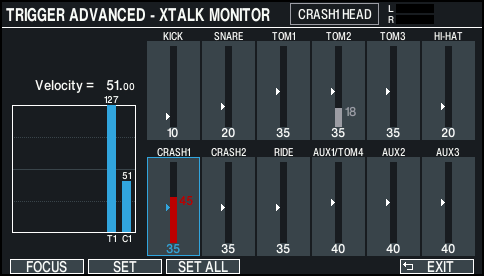
- If crosstalk is occurring for multiple pads, each press of the [F1] (FOCUS) button will move the cursor to another pad that is experiencing crosstalk.
- Press the [F2] (SET) button.
- In this case, the value is automatically set to “45”, which is the minimum value that can cancel triggering for crash 1.
Value
Explanation
0–80
Strength of crosstalk cancellation
- Repeat steps 3 and 4 to make crosstalk cancellation settings.
MEMO
You can also use the cursor [Í] [Ë] buttons or the dial to make crosstalk cancellation settings manually.