Formatting an SD card
Follow these steps to initialize (format) an SD card.
- SD cards must be formatted the first time before they are used on the V51.
NOTE
When you format an SD card, all data on the SD card is erased.
- Insert the SD card into the V51.
- Ø “Side panel and front panel”
- Press the [SETUP] button.
- Use the cursor buttons to select “BACKUP”, and press the [ENTER] button.
- The BACKUP screen appears.
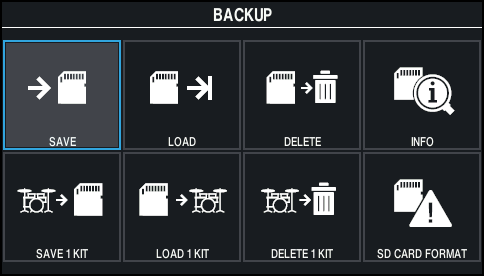
- Use the cursor buttons to select “SD CARD FORMAT”, and press the [ENTER] button.
- The SD CARD FORMAT screen appears.
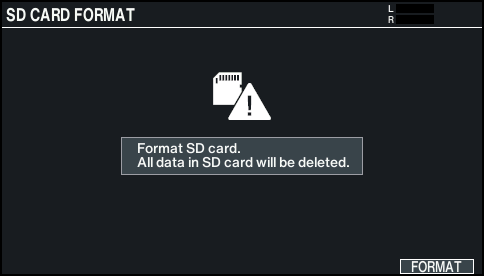
- Press the [F6] (FORMAT) button.
- A confirmation message appears.
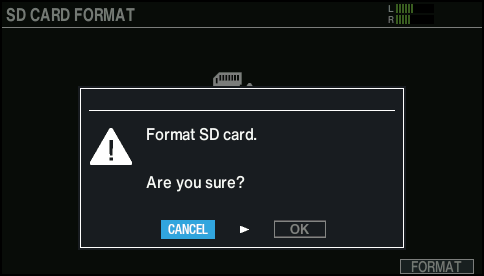
- If you decide to cancel, select “CANCEL” and press the [ENTER] button.
- Select “OK” and press the [ENTER] button.
- The SD card is initialized.
- Press the [ENTER] button to finish the operation.