MIDI settings (SYSTEM MIDI)
Here’s how to make the overall MIDI-related settings for the V51.
MEMO
For details on the parameters that can be edited, refer to “Data List” (Roland website).
- Press the [SETUP] button.
- Use the cursor buttons to select “SYSTEM MIDI”, and press the [ENTER] button.
- The SYSTEM MIDI screen appears.
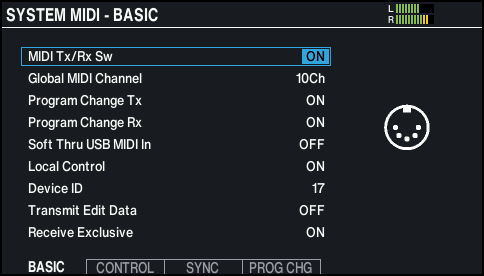
- Press the [F1] (BASIC)–[F4] (PROG CHG) buttons to select the item that you want to edit.

Button
Explanation
[F1] (BASIC) button
Makes basic MIDI settings such as specifying the channel on which the V51 transmits and receives MIDI data.
[F2] (CONTROL) button
Specifies the MIDI messages that are transmitted or received to indicate the pad striking location or the position of the hi-hat pedal.
MEMO
To return to the default values, press the [F6] (DEFAULT) button.
[F3] (SYNC) button
Specifies settings related to MIDI synchronization.
[F4] (PROG CHG) button
You can freely configure how the drum kits correspond with the program change messages that are transmitted and received.
- Use the cursor buttons to select a parameter, and use the dial to edit the value.
- Press the [KIT] button to return to the KIT screen.