Assigning functions to pads
You can assign functions to the pads connected to the TRIGGER IN jacks (AUX 2, AUX 3), or to a pad that supports digital connection that’s assigned to AUX 2 and AUX 3.
- Press the [SETUP] button.
- Use the cursor buttons to select “CONTROL SETUP”, and press the [ENTER] button.
- Press the [F2] (PAD CTRL) button.
- The CONTROL SETUP - PAD CONTROL screen appears.
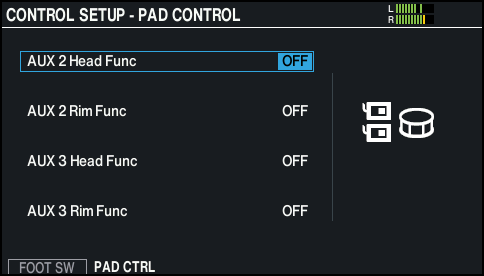
- Use the cursor buttons to select a parameter, and use the [-] [+] buttons or the dial to edit the value.
MEMO
- If you don't want to hear the sound when you strike the pad, select the Sound Mute check box. You can also press the [INSTRUMENT] button and set the instruments of AUX2 and AUX3 for all layers to “OFF”.
Ø “Layering the instruments (layer)”
If SNARE BUZZÓSnare Buzz Sense is set to “1–12”, set it to “OFF” instead.
Ø “Configuring the resonance of the snare (SNARE BUZZ)” - If you want to switch drum kits in the set list with a pad, set the pad’s assigned function to “KIT# DEC” or “KIT# INC”, and turn the set list on (Make the set list settings in advance.)
Ø “Recalling drum kits successively (SET LIST)”
- If you don't want to hear the sound when you strike the pad, select the Sound Mute check box. You can also press the [INSTRUMENT] button and set the instruments of AUX2 and AUX3 for all layers to “OFF”.
- Press the [KIT] button to return to the KIT screen.