Restoring all settings (including Roland Cloud license data) to factory defaults
When you install an Instrument Expansion from Roland Cloud into a rack on the V51, the Roland Cloud license data is saved on the V51.
This resets all of this license and kit backup data that you loaded into this unit, as well as your user samples and everything else to the factory settings.
- On the FACTORY RESET screen, press the [F1] (REMOVE LIC) button.
- The FACTORY RESET WITH USER LICENSE screen appears.
- The check box on this screen cannot be deselected.
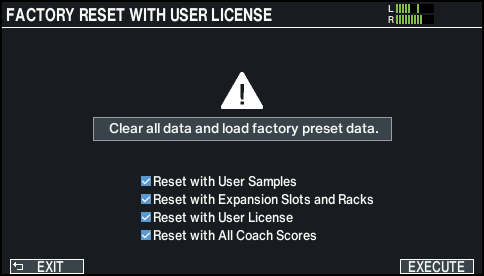
- If you decide to cancel, press the [F1] (EXIT) button.
- Press the [F6] (EXECUTE) button.
- A confirmation message appears.
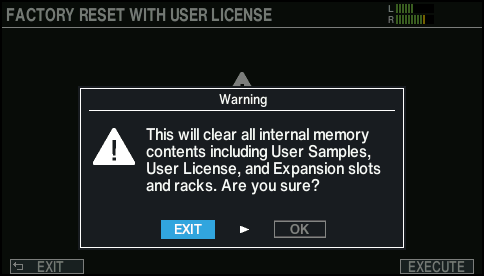
- If you decide to cancel, select “EXIT” and press the [ENTER] button.
- Select “OK” and press the [ENTER] button.
- The factory reset is performed, and all Roland Cloud-related data stored on this unit is deleted.
- Press the [ENTER] button to finish the operation.