Adjusting the volume change of each pad (PAD COMP)
This sets the changes in volume or dynamics (pad compressor) of each pad.
Ø For details on the parameters that can be edited, refer to “Data List” (Roland website).
- Press the [KIT EDIT] button.
- Use the cursor buttons to select “PAD COMP”, and press the [ENTER] button.
- The PAD COMP screen appears.
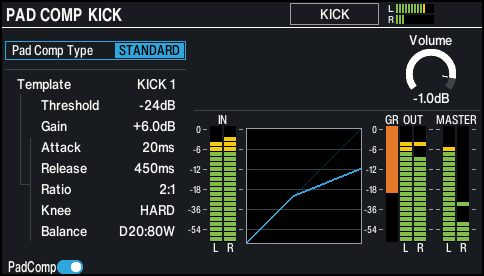
- Select the pad to configure.
- Ø “Selecting the pad to set”
- Press the [F1] (PadComp) button to switch the pad compressor on/off.
- Edit the pad compressor settings.
- Press the [KIT] button to return to the KIT screen.