Use the USB Type-C® cable and the USB Type-C® to Type-A adaptor that are included with the DH-10 to connect the DH-10 to the V51.
First, the blue indicator blinks several times, then the blue and red indicators remain lit.
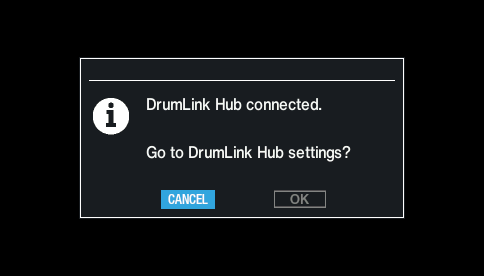
The following message is shown once you connect the DH-10.
Use the cursor buttons to select “OK”, and press the [ENTER] button.
This switches to the DrumLink - HUB screen.
NOTE
If you’ve already connected the three DIGITAL TRIGGER IN ports of the V51 to Roland digital pads (such as the PD-14DSX, CY-18DR or VH-14D), disconnect one of the digital pads and then connect the DH-10. In this case, you can only use up to two digital pads.
If you want to use three digital pads and the DH-10, use a MIDI cable to connect the MIDI OUT of the DH-10 to the MIDI IN of the V51 sound module. See the DH-10 product support page for usage instructions. https://roland.cm/dh-10_om