Use a USB cable (commercially available) to connect the DIGITAL TRIGGER IN ports of the V51 to the DWe DrumLink hub.
NOTE
Do not place the DrumLink™ hub on top of the sound module. Place it on a nearby table or on the floor. When connecting, use a commercially available USB cable of the required length.
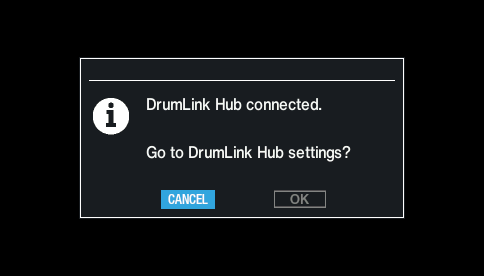
The following message is shown once you connect the DrumLink™ hub.
Use the cursor buttons to select “OK”, and press the [ENTER] button.
This switches to the DrumLink - HUB screen.
NOTE
If you’ve already connected the three DIGITAL TRIGGER IN ports of the V51 to Roland digital pads (such as the PD-14DSX, CY-18DR or VH-14D), disconnect one of the digital pads and then connect the DrumLink™ hub. In this case, you can only use up to two digital pads.
If you want to use three digital pads and a DWe pad, use a MIDI cable to connect the MIDI OUT of the DrumLink™ hub to the MIDI IN of the V51 sound module. See the DWe product support page for usage instructions. www.dwdrums.com/DWe/support