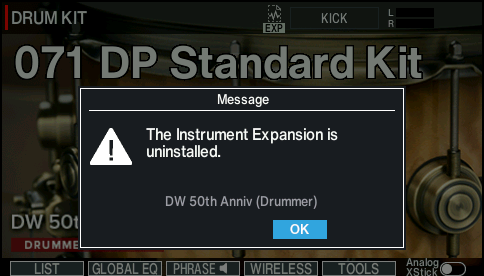
Loading Instrument Expansions/Kit Packs that are missing from a drum kit
If an Instrument Expansion/Kit Pack is missing from a drum kit, the following confirmation screen appears when you strike the pad or play a kit phrase.
The confirmation screen shows the names of the Instrument Expansions and/or Kit Packs that are missing.
Reload the Instrument Expansions/Kit Packs as necessary.
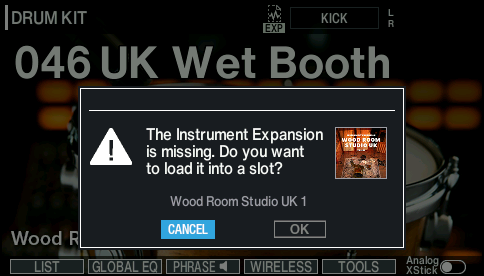
- Select “OK” and press the [ENTER] button.
- The LOAD TO SLOT window appears.
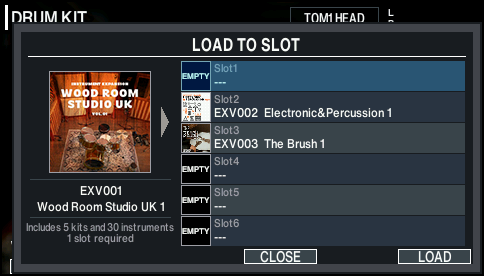
- Use the dial to select the load destination slot, and press the [F6] (LOAD) button.
- The expansion icon on the KIT screen changes from blinking to steadily lit when all missing Instrument Expansions/Kit Packs in the drum kit are loaded into the slot.
MEMO
If the Instrument Expansions/Kit Packs necessary for a drum kit have been uninstalled from the rack, you can’t restore them simply by operating the V51. You can use Roland Cloud Connect if you have a membership (subscription), or Roland Cloud Manager if you have a Lifetime Key (purchased license) to reinstall the necessary Instrument Expansions/Kit Packs into the rack, and then load them into the slots.