Correctly playing in time with the beat (TIME CHECK)
This mode is for checking how accurate your timing is when you’re playing along with the click.
- Press the [SONG] button while holding down the [SHIFT] button.
- Use the cursor buttons or the dial to select “TIME CHECK” and press the [ENTER] button.
- The COACH - TIME CHECK screen appears.
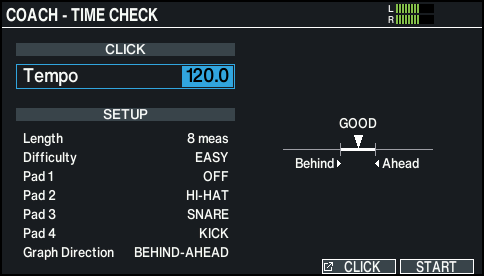
- Use the [-] [+] buttons or the dial to change the tempo.
- Press the [F6] (START) button to start.
- Play the pad in time with the click.
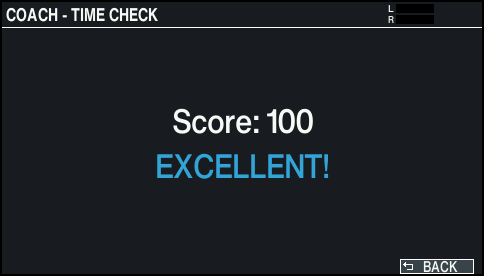
- After the click stops, the result of how accurately you played the phrase is shown.
MEMO
To stop during practice, press the [F6] (STOP) button.
- Press the [F6] (BACK) button to finish.