Adjusting the tonal character of the pads or drum kit (EQ/COMP)
You can adjust how the volume changes (pad compressor/kit compressor) or adjust the tonal character (pad equalizer/kit equalizer) for the individual pads and drum kits.
Ø For details on the parameters that can be edited, refer to “Data List” (Roland website).
- Press the [EQ/COMP] button.
- Press the function buttons to access the respective settings screens.

Screen
Explanation
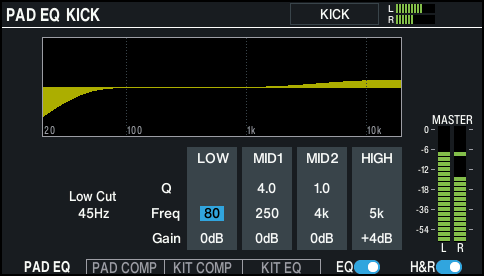
PAD EQ screen
Configures the equalizer for each pad.
You can configure the settings for the head and rim separately.
MEMO
Press the [F6] (RESET EQ) button while holding down the [SHIFT] button to restore the equalizer settings to their default values.
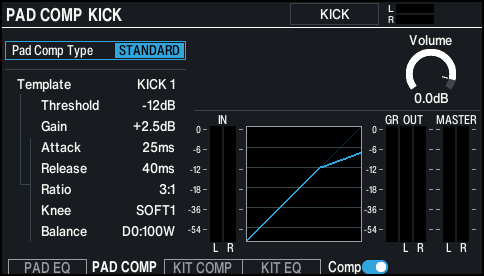
PAD COMP screen
Configures the compressor for each pad.
The head and rim use these settings in common.
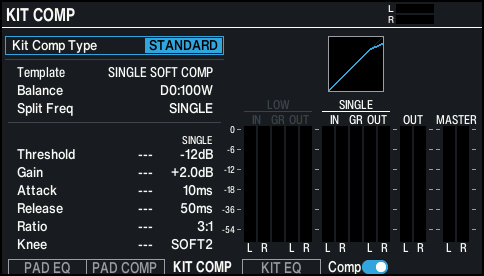
KIT COMP screen
Configures the compressor for the entire drum kit, on a kit-by-kit basis.
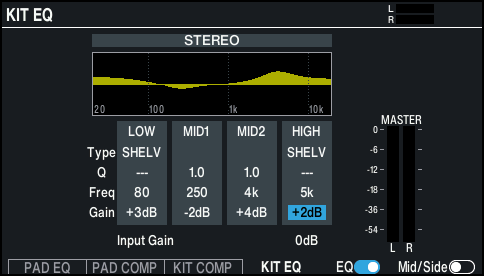
KIT EQ screen
Configures the equalizer for the entire drum kit, on a kit-by-kit basis.
MEMO
Press the [F6] (RESET EQ) button while holding down the [SHIFT] button to restore the equalizer settings to their default values.
- Select the pad to configure (only PAD EQ or PAD COMP).
- Ø “Selecting the Pad to Set”
- Press the [F5] button to switch the equalizer/compressor on/off.
- Edit the equalizer/compressor settings.
- Press the [KIT] button to return to the KIT screen.