Connecting wirelessly to a smartphone
To connect your smartphone wirelessly to this unit, you’ll need to “pair” this unit by registering it in your smartphone, so that the two devices can authenticate with each other.
As an example, we explain how to make settings for an iPhone.
- Once a smartphone has been paired with this unit, there is no need to pair it again. Refer to “Connecting an already-paired smartphone”.
Registering the smartphone (pairing)
- Place the smartphone that you want to connect near the V71.
- Press the [Ġ] (Bluetooth) button.
- Press the [F6] (Bluetooth) button to turn Bluetooth Switch “ON”.
- Press the [F1] (PAIRING) button.
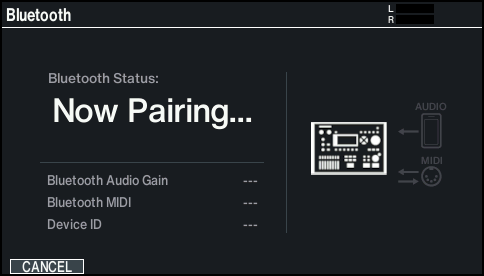
- The display indicates “Now Pairing...”, and the V71 waits for a response from the mobile device.
- In your smartphone’s settings, turn Bluetooth on.
- Tap “V71 AUDIO” that appears in the Bluetooth “DEVICES” list on your smartphone.
- This pairs the unit with the smartphone. When pairing is completed, a display like the following appears.

Smartphone
“V71 AUDIO” is added to the “My devices” area, and shown as “Connected”.
V71
The screen indicates “Connected (AUDIO)”.
- Press the [KIT] button to return to the KIT screen.