Creating a set list
- Press the [SET LIST] button to make it light.
- The SET LIST screen appears, and set list turns on.
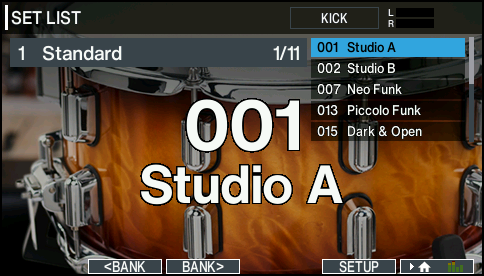

Button | Explanation |
[F2] (çBANK) button | Selects the set list bank. |
[F3] (BANKæ) button | |
[F5] (SETUP) button | Creates, edits or renames the set list. |
Exchanging or renaming set lists
- Press the [F5] (SETUP) button.
- The SET LIST SETUP screen appears.
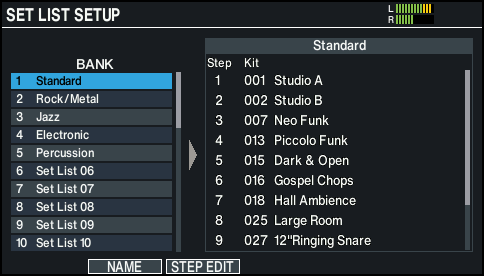
Button | Explanation |
[F2] (NAME) button | Changes the bank name of the set list at the cursor position. |
[F3] (STEP EDIT) button | Edits the steps of the set list bank at the cursor position. |
Editing the set list steps
- Press the [F3] (STEP EDIT) button.
- Use the cursor buttons to select each step, and use the [–] [+] buttons or the dial to specify the drum kit at that step.
Button
Explanation
[F5] (INSERT) button
The same drum kit is inserted at the cursor position, and steps after this point are moved backward one place.
[F6] (DELETE) button
Step at the cursor position is deleted, and steps after this point are moved forward one place.
MEMO
If the set list is empty, move the cursor to “END” and use the [–] [+] buttons or the dial to specify a drum kit.
- Press the [KIT] button to return to the SET LIST screen.