Using set lists
Selecting the set lists
- Press the [SET LIST] button to make it light.
- The SET LIST screen appears, and set list turns on.
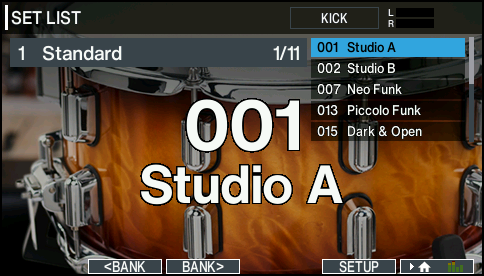
- Press the [F2] (çBANK) button or [F3] (BANKæ) button to select the set list that you want to use.
Switching between drum kits
- Use the [–] [+] buttons or the dial to recall the drum kits in the order of the steps you specified.
- When you’ve finished playing, press the [KIT] button or the [EXIT] button. The [SET LIST] button goes dark.
- The set list function turns off.
MEMO
- You can assign the appropriate function to a footswitch or pad, and use it to recall set lists or drum kits.
Ø “Assigning functions to footswitches or pads (CONTROL SETUP)” - If the volumes set for each drum kit vary considerably, press the [MIXER] button to adjust the Kit Volume (the volume for the overall drum kit).
Ø “Setting the drum kit volume (KIT VOLUME)”