Configuring pads that support digital connection
The first time that you connect a pad that supports digital connection to a DIGITAL TRIGGER IN port, you’ll follow the screens that appear, and specify the trigger input to which the connected pad is assigned.
Ø “Configuring pads that support digital connection”
The following explains how to change the assigned destinations (assignments) after you make the settings.
- If you assign the same trigger input used by a pad connected to a TRIGGER IN jack, the pad that’s connected to that TRIGGER IN jack does not output sound.
- When you execute a factory reset, the connection history and settings of digitally-connected pads are initialized.
- Press the [TRIGGER] button.
- Press the [F2] (DIGITAL) button.
- The TRIGGER - DIGITAL PAD screen appears.
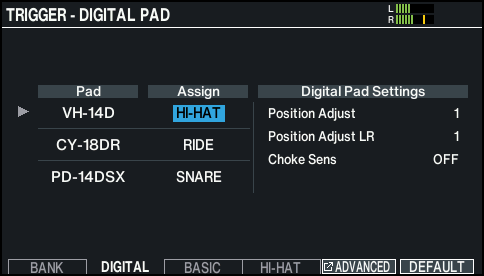
- Use the cursor buttons to select the pad that you want to configure, and use the [–] [+] buttons or the dial to configure the assignment.
- You can also select a pad by striking it.
- If you don’t want to assign the pad to any trigger input, choose “N/A”.
- You can’t specify multiple instances of the same assignment.