Restoring the drum kit to factory settings
You can use the copy function to restore drum kits to their factory (preset kit) settings.
- Press the [BACKUP] button while holding down the [SHIFT] button.
- The COPY screen appears.
- Use the cursor buttons or the dial to select “KIT” and press the [ENTER] button.
- Press the [F2] (PRESET) button.
- The COPY KIT FROM PRESET DATA screen appears.
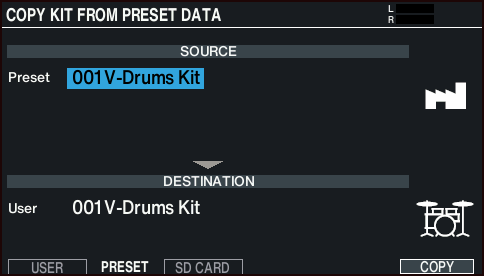
- Move the cursor to the preset kit, and use the [–] [+] buttons or the dial to select the preset drum kit.
- Move the cursor to the user drum kit, and use the [–] [+] buttons or the dial to select the drum kit you want to restore to preset settings.
- Press the [F6] (COPY) button.
- A confirmation message appears.
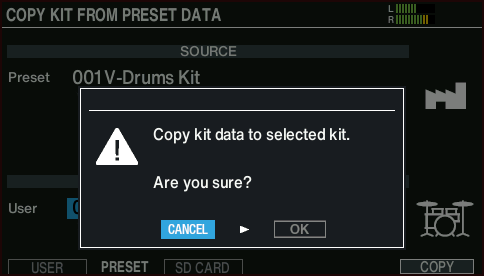
- If you decide to cancel, select “CANCEL” and press the [ENTER] button.
- Select “OK” and press the [ENTER] button.
- This copies the drum kit.
- If you’ve selected a preset kit that contains user samples, the user samples are not reverted to the factory settings.