Automatically loading Instrument Expansions/Kit Packs into a slot (Auto Slot Load)
With this function, you can make the Instrument Expansions/Kit Packs that are used in a drum kit load automatically into a slot when you switch to that drum kit. This is useful when you want to change the Instrument Expansions/Kit Packs used for each drum kit.
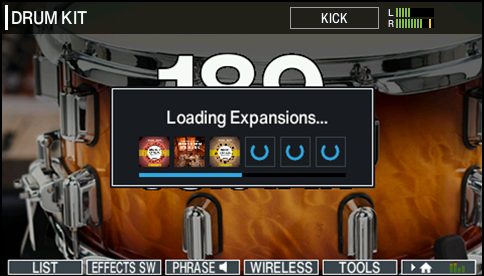
- You can switch to Auto Slot Load mode from the INSTRUMENT EXPANSIONS / KIT PACKS - SLOT screen.
- When an Instrument Expansion/Kit Pack is loaded into a slot, the instrument that is currently playing is muted. The pads are also muted until loading is finished.
- Auto Slot Load mode is set to “ON” when using the factory settings. Also, it is set to “ON” when the unit is updated to Ver. 2.00.
- When Auto Slot Load mode is “ON”, the amount of time it takes to switch between drum kits is increased, considering the time it takes to load the Instrument Expansions/Kit Packs into the slots. When the setting is “OFF”, the Instrument Expansions/Kit Packs used by the drum kit are not automatically loaded into the slots. If you don’t want the time it takes to switch between drum kits to get longer, set Auto Slot Load mode to “OFF”.
- You can clear all of the slots by pressing the [F6] button while holding down the [SHIFT] button on the INSTRUMENT EXPANSIONS / KIT PACKS - SLOT screen and then executing “REMOVE ALL”.