Configuring the unit to notify you when an update has been released
- Press the [SETUP] button.
- Use the cursor buttons to select “SYSTEM INFO”, and press the [ENTER] button.
- The SYSTEM INFO screen appears.
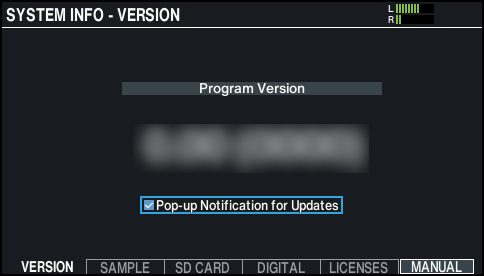
- Press the [F1] (VERSION) button.
- Select the “Pop-up Notification for Update” check box.
- From the next time you start up the unit, a pop-up message notifies you whenever a new update is available, when the unit is connected to Wi-Fi.