FSW MODE settings
- Press the [MENU/EXIT] button.
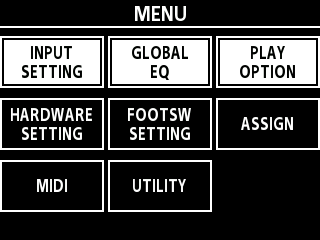
- Turn the [SELECT] knob to move the cursor to the FOOTSW SETTING row.
- Press the [2] knob.
- This opens the FOOTSWITCH SETTING screen.
- Turn the [SELECT] knob to select either “MEMORY” or “MANUAL”.
- Press the [MENU/EXIT] button a number of times to return to the play screen.
MEMO
You can switch between FSW modes when screens besides the menu are displayed.Ø “Changing the FSW mode”
É/Ç FUNCØ “Changing the footswitch functions on this unit when in memory mode”
É & Ç switchesØ “Disabling simultaneous presses of the footswitches on this unit”