Making the effect sound (reverberations) carry over when you switch memories (carryover)
The function that preserves the tail of an effect (such as delay or reverb) even after the effect is switched off is called “carryover”.
The carryover sound changes according to the settings in the memory after switching. For a natural effect, we recommend that you use the same settings as shown below.
- On the preceding and on the following memories, configure the effect chain to use the same effects and arrangement. Set each effect type to be the same as well.
- Change the parameter values and the on/off settings for each effect.
- With the play screen shown, press the [2] knob.
- The effect chain screen is shown.
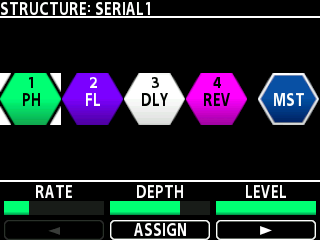
- Turn the [SELECT] knob to select the MASTER block (MST).
- Press the [3] knob.
- The CARRYOVER parameter is shown.
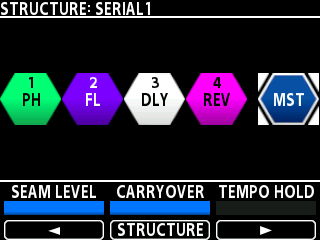
- Turn the [2] knob to set the CARRYOVER parameter to “ON”.
- Save the memory.
- ØSaving memories (WRITE)